 RoPA Pilot
Install and browse normally
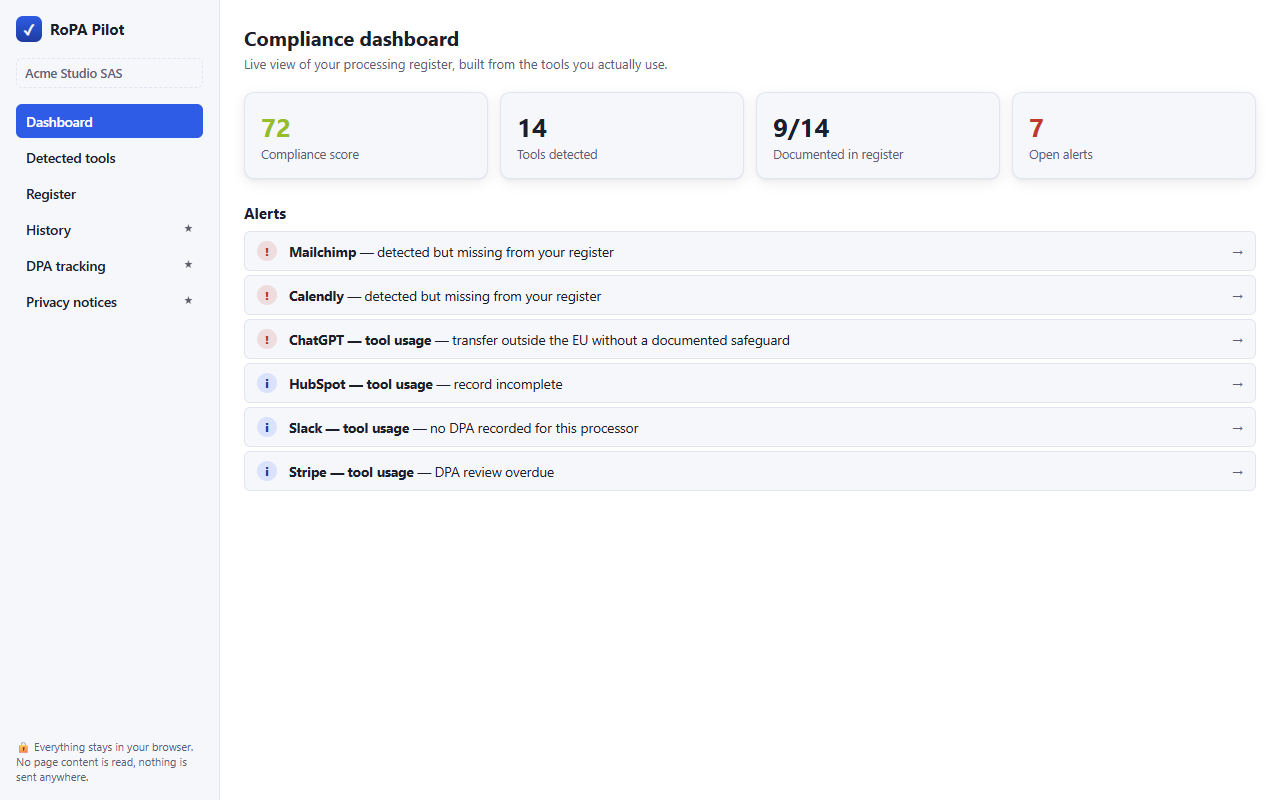
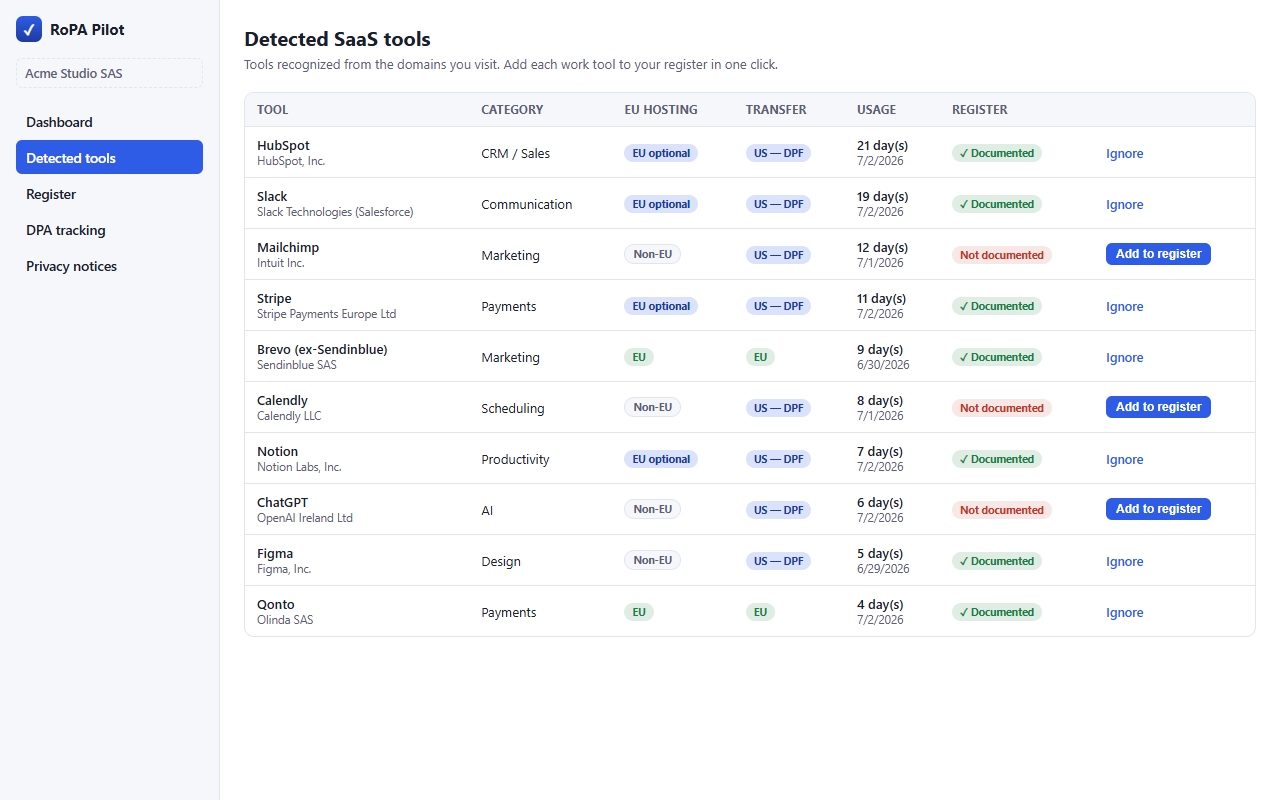
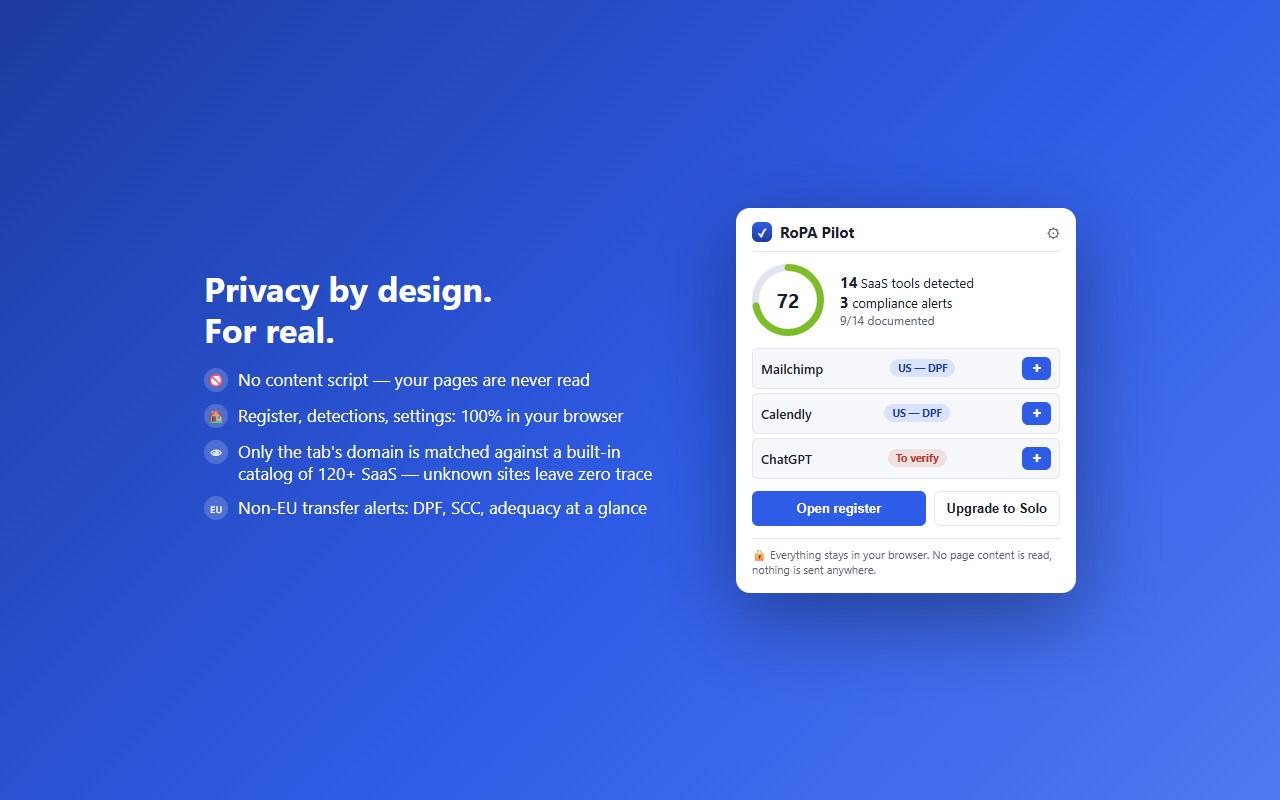
The extension maps the SaaS you use, locally, by domain name only — never the content of your pages.
RoPA Pilot recognises the SaaS your team actually uses (HubSpot, Slack, Stripe, Notion… 250+ tools) and turns them into pre-filled records for your record of processing activities: processor, purpose, data categories, retention, transfers. 100% local — no page content read, nothing sent.
Record of processing · Non-EU transfer alerts · DPA tracking · CSV / JSON exports · Multi-organisation
How it works
No more registers written from memory and outdated the same day: RoPA Pilot starts from how your tools are really used.
The extension maps the SaaS you use, locally, by domain name only — never the content of your pages.
One click: processor, typical data categories, purpose, suggested retention and transfer mechanism (EU, DPF, SCC) pre-filled.
CSV/JSON exports, compliance score and alerts: non-EU transfers without safeguards, incomplete records, missing DPAs.
Screenshots
Swipe to see the other screenshots →
What you get
Built-in catalog of 250+ SaaS with processor, typical data, purpose and suggested retention. Browse the directory.
EU hosting, EU-US Data Privacy Framework or standard contractual clauses: transfers without safeguards are flagged.
A direct link to each vendor's DPA, with review reminders so a contract never silently expires.
Produce the register in Article 30 layout, ready for an auditor. See a filled example.
Up to 10 organisations on Agency — built for external DPOs, consultants and agencies.
Incomplete records, undocumented tools, missing DPAs: you always know what to fix first.
A GDPR compliance tool must be exemplary with your data:
Use cases
Typical usage scenarios — not customer testimonials.
Typical scenario: half a day per client to inventory tools, repeated every quarter. With multi-organisation support, each client gets its own register, white-label output and timestamped history; the SaaS inventory updates itself during engagements.
Typical scenario: the agency is a processor for its clients and a controller for its own data. Two registers, around thirty SaaS in circulation. Pre-filled records remove the blank page; alerts surface tools with no identified DPA.
Typical scenario: the register was written once in a spreadsheet, then forgotten. New tools adopted by teams never made it in. RoPA Pilot detects them while people browse and turns the omission into a record to complete.
Pricing
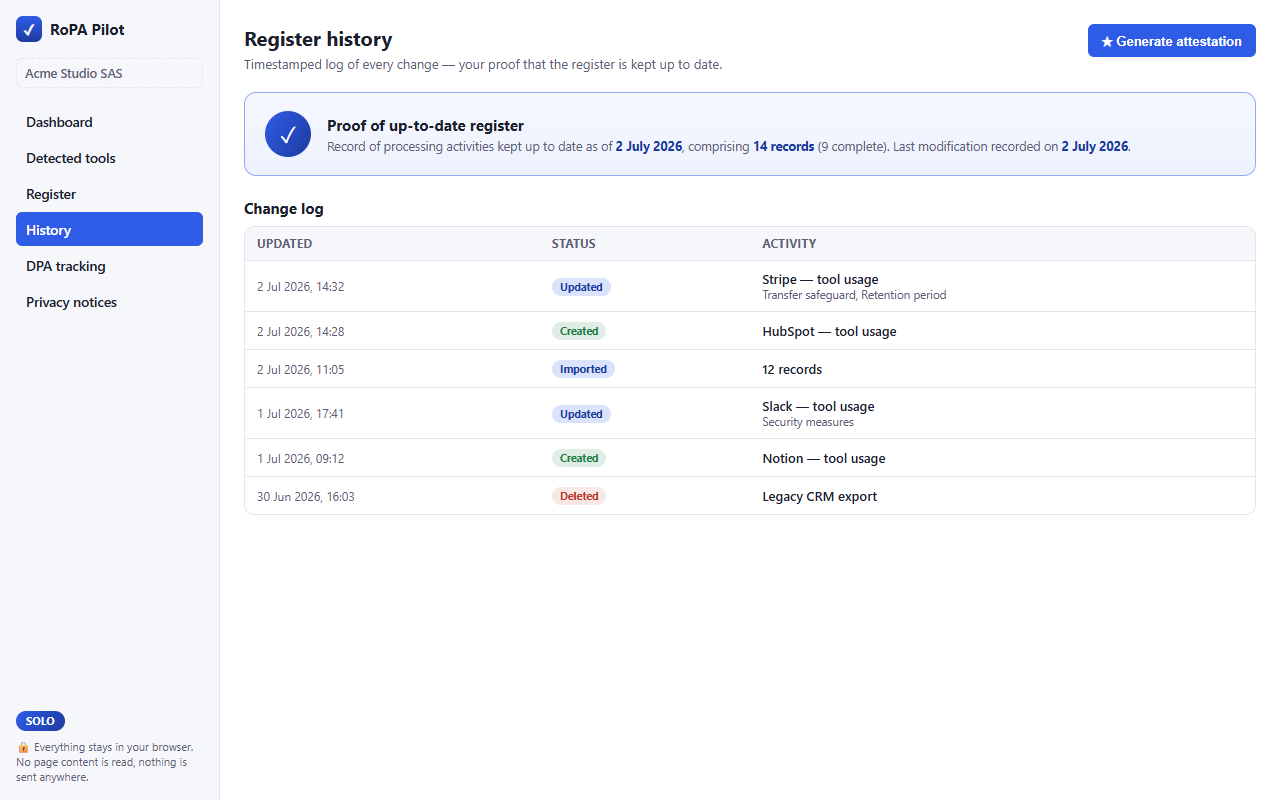
The free tier is not a demo: detection, records and CSV/JSON exports are unlimited, forever. Paid tiers add the proof: audit-ready PDF, DPA tracking, timestamped history, white-label.
FAQ
Yes, in almost every case. Article 30(5) exempts organisations under 250 employees, but the exemption disappears as soon as the processing is not occasional, may pose a risk to individuals, or involves special categories of data. Payroll, customer files and recruitment are regular processing activities: in practice, nearly every SME must keep a record.
A missing record falls under Article 83(4): up to €10,000,000 or 2% of total worldwide annual turnover, whichever is higher. In practice, a supervisory authority asks for the record first: not being able to produce it turns a routine inspection into an enforcement procedure.
The controller record (Article 30(1)) describes your own processing: purposes, categories of data and data subjects, recipients, transfers, retention, security. The processor record (Article 30(2)) describes the categories of processing carried out on behalf of each client controller. An agency or a SaaS vendor keeps both.
Seven items, listed in Article 30(1): identity and contact details of the controller and DPO, purposes, categories of data subjects and personal data, categories of recipients, non-EU transfers and their safeguards, envisaged erasure deadlines, and a general description of security measures.
No. It removes the mechanical work — inventorying tools, finding the vendor, hosting country, transfer mechanism and DPA — and produces a presentable register. Judgment calls (lawful basis, minimisation, actual retention, impact assessments) stay human. It is a compliance aid, not legal advice.
Three cases. The vendor is certified under the EU-US Data Privacy Framework: the transfer is lawful while the certification is active — verify it on dataprivacyframework.gov and record the date. It is not certified: you need signed standard contractual clauses and, in principle, a transfer impact assessment. The mechanism is unknown: ask the vendor in writing before entering anything in the register.
Install RoPA Pilot and let your record of processing build itself from reality.